
☰
Delegate & Stake
Boost your rewards by delegating or staking FLR.

In addition to receiving FlareDrops, you can boost your rewards by either delegating or staking.
Delegation is the non-custodial assignment of your FLR tokens to data providers. You retain full ownership of your tokens and can undelegate them at any time, allowing you to continue using them for other purposes.
Delegators receive a share of the rewards earned by the data providers they delegate to. The more accurate a data provider’s submissions and the larger the number of tokens delegated to them, the greater the rewards they receive and can share with their delegators.
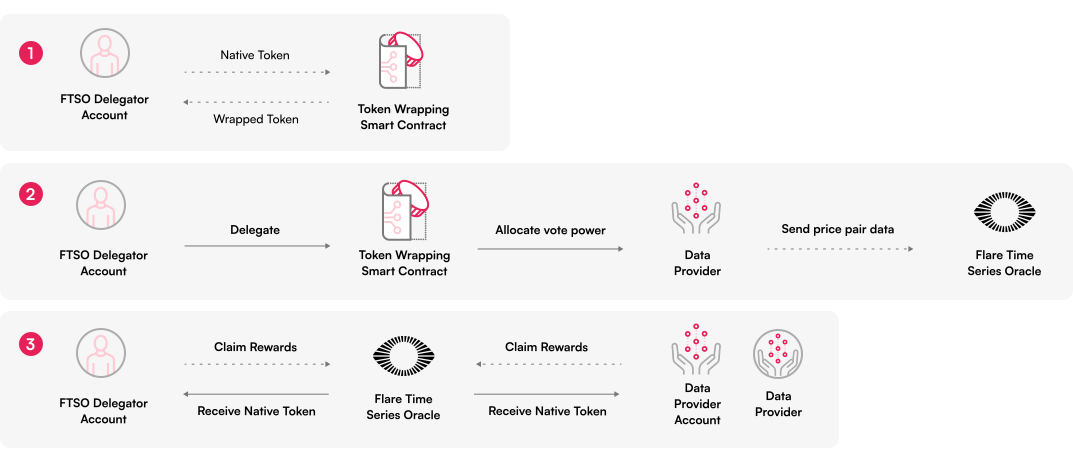
Flare is transitioning to a staking model in three phases. Now that phase two has been reached, anyone can delegate stake to validators on the network. This can be done using the Flare Portal or via the CLI for developers and advanced users.
When a token holder delegates FLR to a validator, their tokens are locked for a selected period of time. Participants choose how much stake to delegate and how long the lock period will last.
The minimum stake is 50,000 FLR and the shortest permitted staking period is 14 days.
You can claim FLR rewards via the Flare Portal or through the Block Explorer. Once connected to the portal, your claimable rewards will be displayed and can be claimed directly.
If you use the Bifrost Wallet, you can easily set up autoclaiming within the app. Open FLR or WFLR, tap the three dots, select Delegate, then tap View More in the rewards section and follow the prompts.
You can also configure autoclaiming using the Flare Portal. This requires entering an executor's Flare address. Many users use the Bifrost Claim Bot executor address.